Getting started
Download a QR code or poster
The QR code opens the form's public link. Participants scan it with their phone and do not need a Kiosform account.
Updated on
Before you start
- The form must be published.
Steps
Open the sharing options
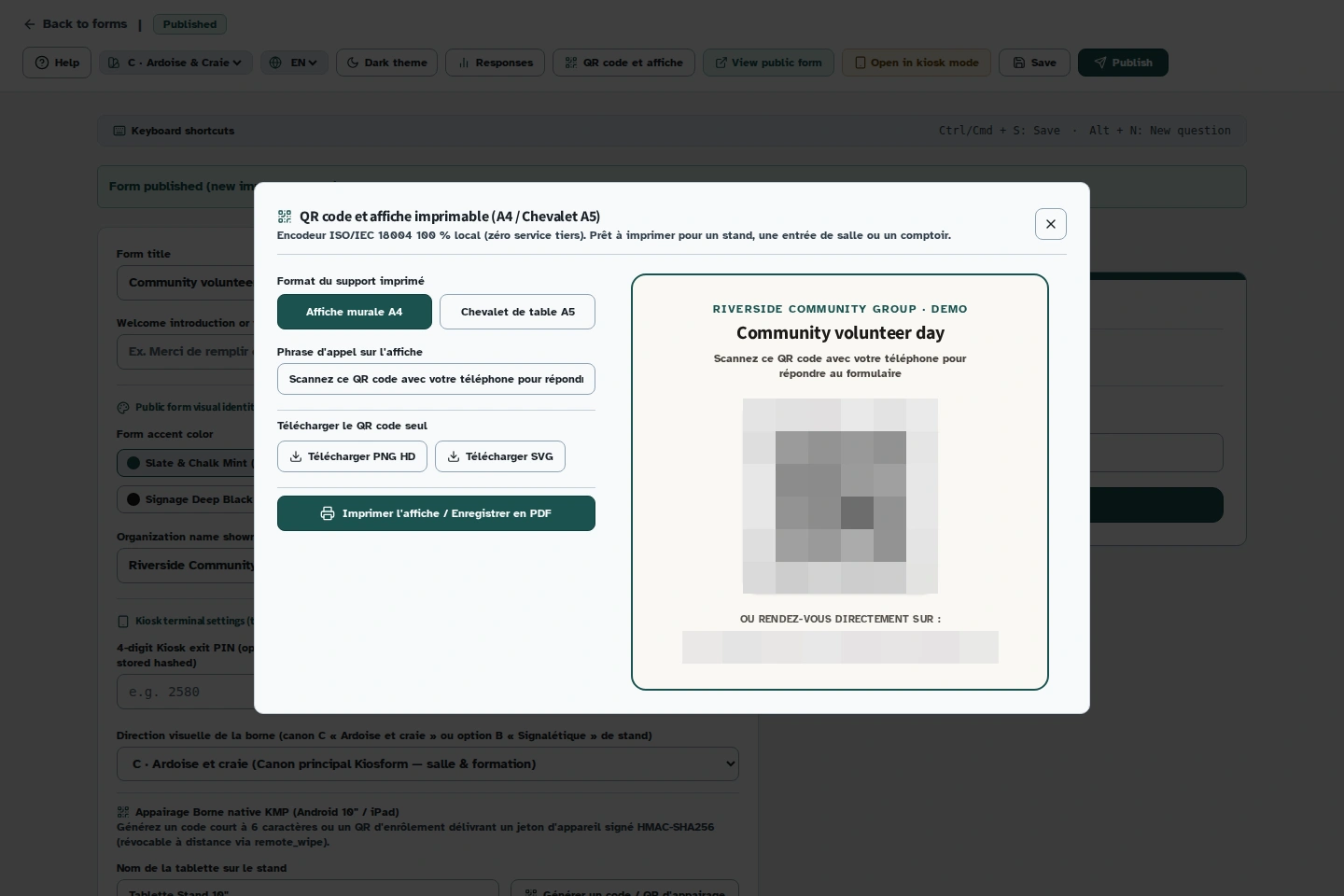
In the builder, click “QR code et affiche” (QR code and poster). The window shows the public link, QR code and poster preview.
Choose the format
Choose A4 for a poster or A5 for a table tent. Check the title and link in the preview.
Download the QR code
Download the QR code as SVG or PNG to suit the material you want to add it to. Keep a white margin around the code when placing it in your layout.
Print and test
Print the poster, then scan the printed copy with a phone. The form should open, and its title should match your event.
Troubleshooting
The printed QR code will not scan
Make it larger, keep its white margin and avoid a busy background or a fold across the code. Test the final printed copy, not just the image on screen.