Your event, from registration to reception.
Planning an outing, workshop, or gathering with limited places? Prepare time slots in Kiosform, share the form, and follow confirmed registrations, cancellations, and the waiting list.
Start with Discovery at €0. No card required.
- Hosted in the EU
- Built-in GDPR tools
- Offline Android kiosk
- No advertising trackers
In the app
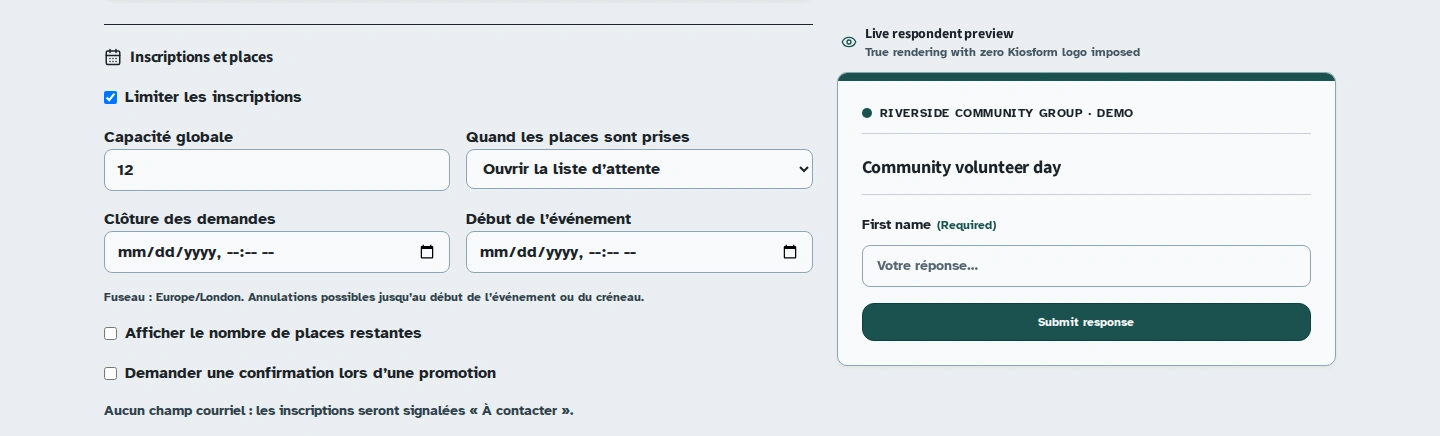
When the last place is taken, use the waiting list.
As registrations arrive, the remaining-place count decreases. Once the time slot is full, the next person joins the waiting list and can see their position.
A workshop with three sessions
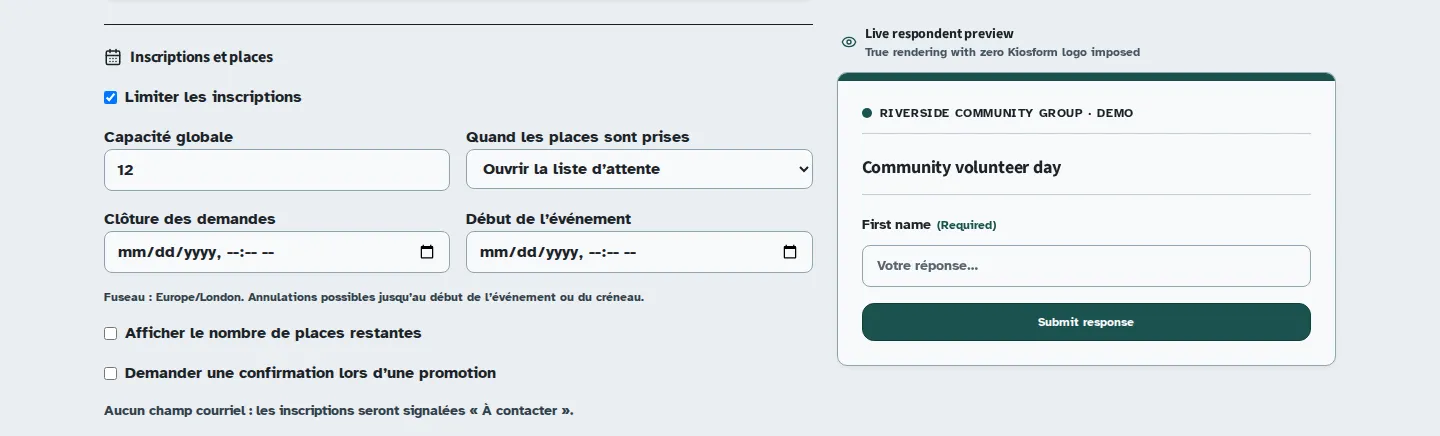
Each time slot has its own capacity.
Your workshop welcomes small groups at different times. Participants choose a time slot at the start of the form. The following questions collect the information needed for their registration.
When a time slot is full, you can offer a waiting list. The closing date ends new registrations according to your chosen settings.
Fictional configuration example. These sessions are not open for booking.
- Morning session: 10:00 am
- Planned capacity: 12 registrations.
- Afternoon session: 2:00 pm
- Planned capacity: 12 registrations.
- Final session: 4:00 pm
- Planned capacity: 8 registrations.
- Once a time slot is full
- Waiting list enabled. A place that becomes available can be offered to the next person.
Plan for cancellations too.
A confirmed registration
The server allocates an available place. If confirmation emails are enabled, the email gives the participant the information prepared by the organiser.
A cancellation
The participant can use the cancellation link in their email. The place becomes available to the waiting list.
An offer to the next person
The waiting list follows order of arrival. Without a confirmation deadline, the place is confirmed immediately. With a deadline, the person must confirm before it expires or the place moves to the next person.
Check the flow before you share it.
- Choose a total capacity or individual time slots, then check the permitted number of registrations.
- Put the time-slot choice near the start and test every branch of the form.
- Set the closing date, waiting list, and any deadline for confirming a newly available place.
- Enable and review the confirmation email, including the time, venue, and useful reception contact.
- Test registration, waiting-list entry, and cancellation with demonstration data before sharing.
At reception, a pending response is not a confirmed place.
You can prepare a kiosk for collection. During a connection loss, it may not know the latest availability for a time slot. Wait for the server's response before guaranteeing a place.
CSV and .xlsx exports help you prepare a participant list. If you use signed attendance, check your organisation's requirements. The signature is a simple electronic signature, not qualified under eIDAS.
Before you send the invitations.
Can two people take the last place?
The server allocates places; the browser's displayed counter does not. Someone completing the form after capacity is reached follows the full-event flow, including the waiting list if it is enabled.
Does the accompanying-guests count reserve that many places?
That question collects information. It does not automatically multiply the places reserved. Check the expected counting behaviour before sharing and tell participants what one registration covers.
Do I need to ask for an email address?
Include an email field if you want to send confirmations and let people retrieve registration links. Check which fields your waiting-list and cancellation flows require.
Can I follow responses without retyping them?
Yes. Review responses in your workspace and export CSV or .xlsx files. Check reservation statuses before using an export as your final reception list.
Set up your form in Kiosform.
Choose your questions, check the preview and publish when your form is ready.
Create my formView plansOn the ground
Get ready for your next gathering.
Offline tablet forms
Set up your kiosk, collect responses, and check that they arrive when the connection returns.
Community registrations
Plan a gathering, recruit volunteers, and ask for the information you need.
Attendance and signatures
Prepare a session's participant list, collect signatures, and review attendance.
Membership applications
Collect requests to join your community group and follow up with your team.
Tablet feedback surveys
Collect visitor feedback while the experience is still fresh.