Responses and follow-up
Export and delete personal data
Your organisation chooses what data to collect and handles participants' requests. The tools below are in your organiser workspace.
Updated on
Before you start
- Verify the person's identity and the scope of the request using your usual procedure.
Steps
Find the person's responses
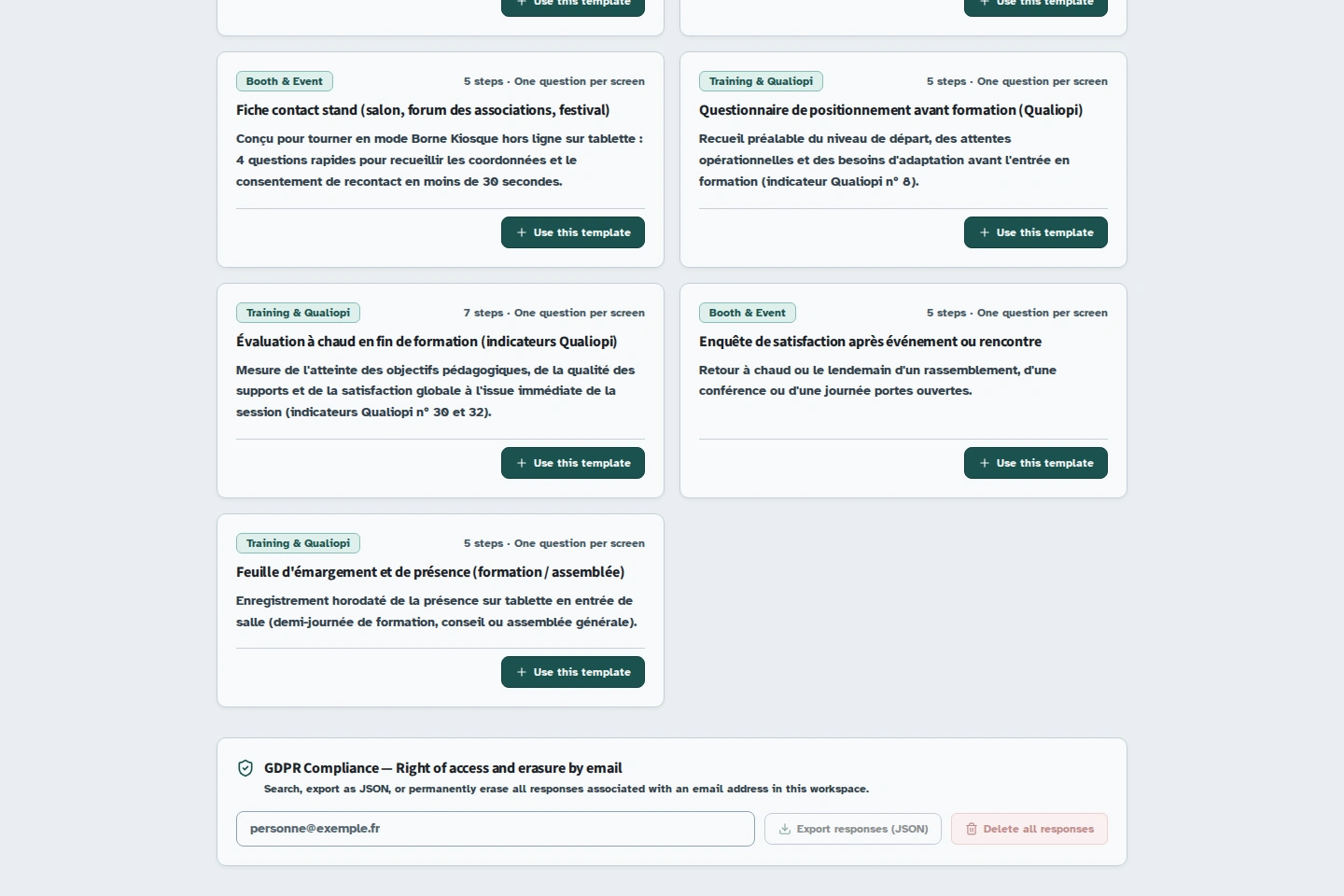
On the workspace dashboard, find the GDPR section and enter the relevant email address. The search is limited to the currently selected workspace.
Export before deleting
Use Export responses (JSON). Review the displayed export to check that you have the correct responses. If no email address was collected, you may need to search the form's responses manually.
Delete the relevant responses
After checking, use Delete all responses for the specified address, or Delete (GDPR) on an individual response. Read and confirm the deletion request. This action is permanent.
Set the retention period
In the builder, choose “Purge automatique RGPD” (Automatic GDPR purge), then a period of 30, 90 or 365 days. Save the setting. Expired responses may be deleted. Check your organisation's retention obligations before shortening this period.
Remember other copies
Also check your exports, shared folders and tools receiving webhooks. Deleting data in Kiosform does not erase those copies.
Account deletion is in the deletion area under Account & Members. A prior export is required there. Do not confuse account deletion with deleting a single response.
Troubleshooting
The email-based export is empty
Check the workspace and the address you entered. The search cannot automatically link someone to a response that does not contain that address.