
Account and integrations
Receive and verify a signed webhook
When a response is recorded, Kiosform prepares a JSON POST to your server. Responses synced from a kiosk use the same mechanism.
Updated on
Before you start
- Have a publicly accessible HTTPS endpoint on port 443.
- Prepare durable storage for deduplication and keep the secret on the server only.
Steps
Add the recipient
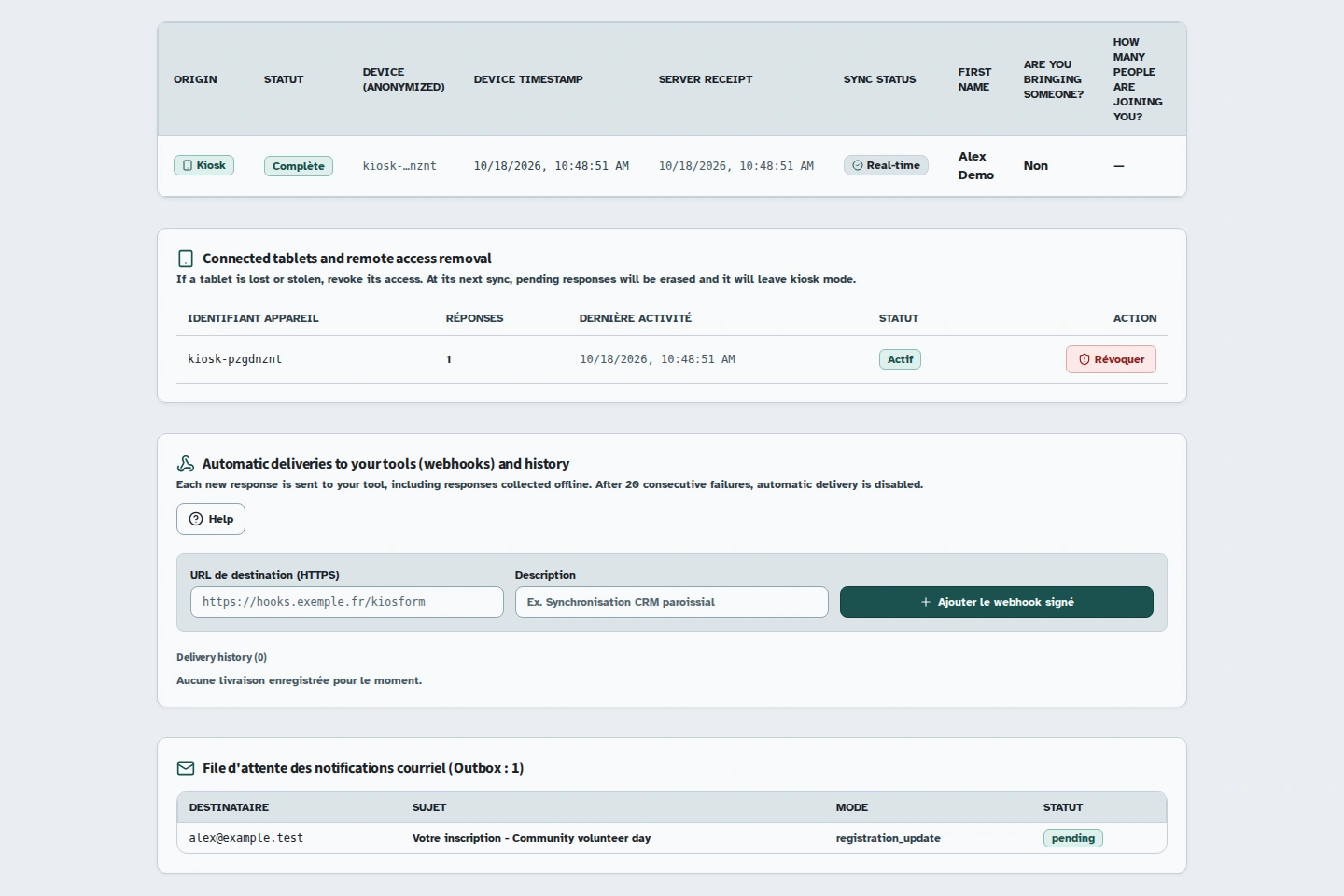
In the form's responses, find Automatic deliveries to your tools (webhooks) and history. Fill in “URL de destination (HTTPS)” (Destination URL, HTTPS) and a description, then use “Ajouter le webhook signé” (Add the signed webhook). Your endpoint appears with its secret.
Check delivery
Use Send a test. The history distinguishes pending deliveries, attempts and results. A delivered status means the recipient returned an HTTP 2xx status. Check your own logs too.
Verify the signature
Read the raw HTTP body before decoding JSON. Check the timestamp and verify the HMAC of timestamp.raw_body using the webhook secret. This notation means the timestamp followed by a literal dot and the unmodified raw body. Use one of the examples below.
Record each delivery without duplicates
Use X-Kiosform-Delivery-Id as a durable unique key. Record this key and the business operation in the same transaction. Receiving the same identifier again must not repeat the operation.
Body and headers
The response.created event directly contains form_id, form_version_id, workspace_id, response_id, source, device_id, client_created_at, submitted_at, deferred, idempotency_key and answers. These properties are at the JSON root, not inside a response object. The webhook.test event contains event, form_id and created_at; it is not a participant response.
X-Kiosform-Signature has the form t=unix_timestamp,v1=hex_signature, where unix_timestamp is the Unix timestamp and hex_signature is the signature in hexadecimal. X-Kiosform-Delivery-Id stays the same for a delivery, including retries. The body stays unchanged; the timestamp and signature are renewed.
answers contains collected values and may include personal data such as a name or email address. Choose an authorised recipient server, protect its storage and avoid logging the full body. Keep secrets and received content on the server, never in a public browser script.
{
  "event": "response.created",
  "form_id": "00000000-0000-4000-8000-000000000001",
  "form_version_id": "00000000-0000-4000-8000-000000000002",
  "workspace_id": "00000000-0000-4000-8000-000000000003",
  "response_id": "00000000-0000-4000-8000-000000000004",
  "source": "web",
  "device_id": null,
  "client_created_at": "2026-10-18T08:00:00.000Z",
  "submitted_at": "2026-10-18T08:00:01.000Z",
  "deferred": false,
  "idempotency_key": "00000000-0000-4000-8000-000000000005",
  "answers": {
    "prenom": "Camille"
  }
}
Verification examples
These functions expect the body bytes, the secret and the exact header. They allow a five-minute clock difference in either direction, so keep your server clock accurate. Reject the request if the function returns false. Only parse the JSON and apply deduplication after verification.
Node.js
import { createHmac, timingSafeEqual } from 'node:crypto';

// rawBody est un Buffer : ne pas reconstituer le JSON après décodage.
export function verifyKiosformWebhook(secret, rawBody, header, now = Math.floor(Date.now() / 1000)) {
  if (!secret || !Buffer.isBuffer(rawBody) || typeof header !== 'string') return false;
  const parts = /^t=([1-9][0-9]{0,11}),v1=([a-f0-9]{64})$/.exec(header);
  if (!parts || parts[0] !== header || !Number.isFinite(now)) return false;
  const timestamp = Number(parts[1]);
  if (Math.abs(now - timestamp) > 300) return false;
  const expected = createHmac('sha256', secret)
    .update(parts[1] + '.', 'utf8').update(rawBody).digest();
  const received = Buffer.from(parts[2], 'hex');
  return timingSafeEqual(expected, received);
}Python 3
import hashlib
import hmac
import re
import time


def verify_kiosform_webhook(secret, raw_body, header, now=None):
    """raw_body contient les octets HTTP, avant le décodage JSON."""
    if not secret or not isinstance(raw_body, bytes) or not isinstance(header, str):
        return False
    parts = re.fullmatch(r"t=([1-9][0-9]{0,11}),v1=([a-f0-9]{64})", header)
    if parts is None:
        return False
    timestamp = int(parts[1])
    if abs((time.time() if now is None else now) - timestamp) > 300:
        return False
    signed = (parts[1] + ".").encode("ascii") + raw_body
    expected = hmac.new(secret.encode("utf-8"), signed, hashlib.sha256).hexdigest()
return hmac.compare_digest(expected, parts[2])PHP
<?php
// $rawBody = file_get_contents('php://input'), avant json_decode.
function verifyKiosformWebhook(string $secret, string $rawBody, string $header, ?int $now = null): bool
{
    if ($secret === '' || preg_match('/\At=([1-9][0-9]{0,11}),v1=([a-f0-9]{64})\z/', $header, $parts) !== 1) {
        return false;
    }
    if (abs(($now ?? time()) - (int) $parts[1]) > 300) {
        return false;
    }
    $expected = hash_hmac('sha256', $parts[1] . '.' . $rawBody, $secret);
    return hash_equals($expected, $parts[2]);
}Retries and errors
Up to four attempts are possible: the initial delivery, then three retries eligible after 1, 10 and 60 seconds. The production worker runs every ten seconds, so these intervals do not promise delivery at the exact second.
A network error or an HTTP status of 300 or higher counts as a failure. Redirects are not followed. Local or private destinations are rejected. After twenty consecutive failures, the endpoint is automatically disabled. A successful 2xx response resets the counter.
Delivery is at least once, not exactly once. A crash after receipt can lead to another delivery. Respond promptly after durably recording the work, then process long-running operations in your own queue.
Troubleshooting
A delivery is still pending
Check your HTTPS certificate, port 443, public availability and attempt history. Compare the delivery identifier with the one received by your server.
The signature is rejected
Check that you are using the correct secret, that the clock is accurate and that you are reading the raw body. Converting parsed JSON back to text can change whitespace or key order and invalidate the HMAC.